Data-Analytics
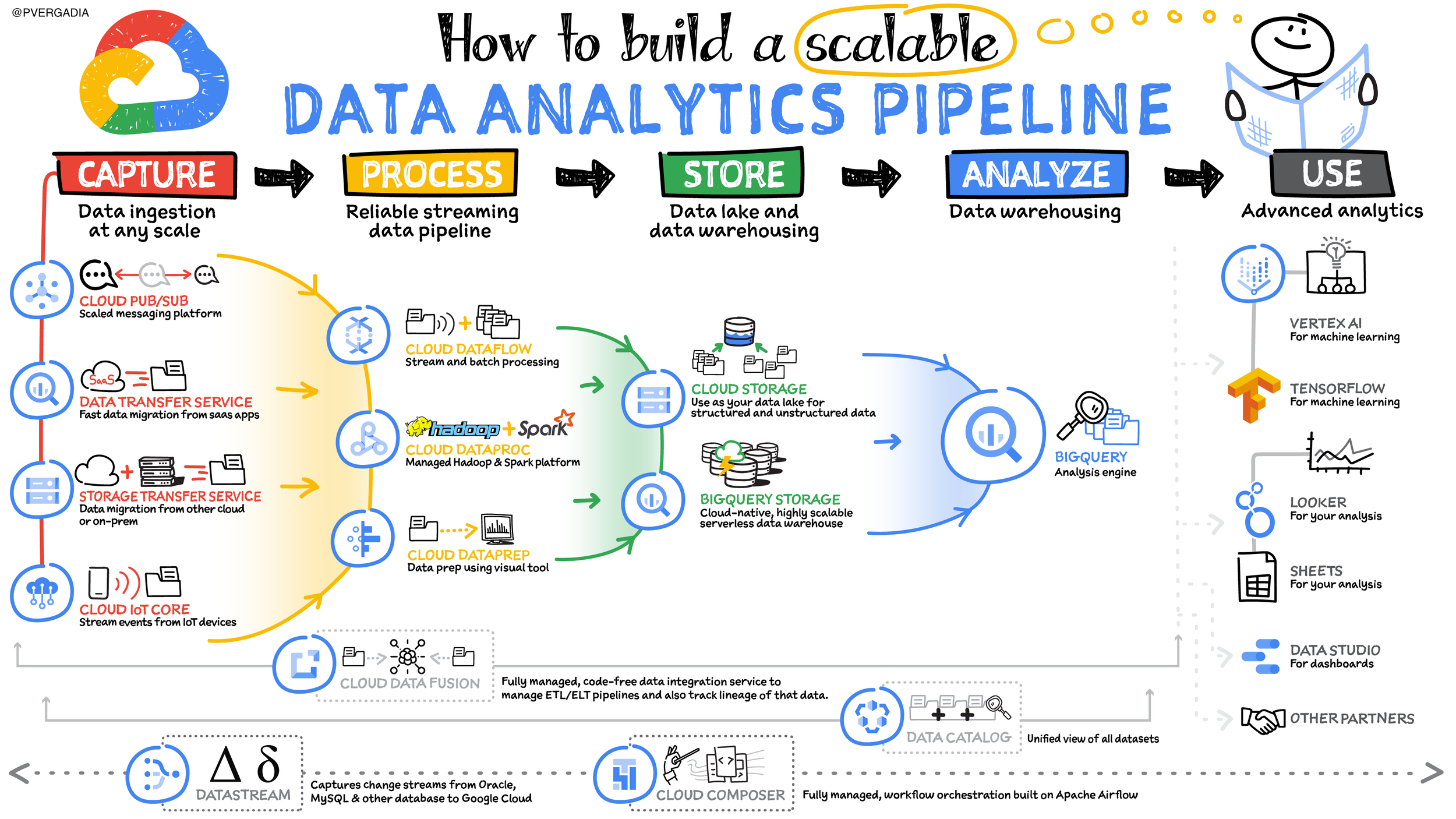
Building a data analytics pipeline is like creating an assembly line for your insights. Here’s a breakdown of the key steps, along with the Google Cloud tools that can help you at each stage:
- Data Capture: This is where you collect raw data from various sources. Google Cloud offers tools like:
- Pub/Sub: For real-time data streaming.
- Cloud Storage: For storing large datasets in various formats.
- Dataflow: For automated data ingestion from diverse sources.
- Data Processing: Here, you clean, transform, and enrich your raw data. Tools that can help include:
- Dataflow: For building data processing workflows.
- BigQuery: For serverless data warehousing and SQL queries.
- Cloud Dataproc: For running Apache Spark and Hadoop workloads.
- Data Storage: This is where your processed data gets housed for analysis. Google Cloud offers:
- BigQuery: A data warehouse for large datasets with SQL capabilities.
- Cloud Storage: For flexible data storage of various formats.
- Data Analysis: Now you can use your data to gain insights. Consider these tools:
- BigQuery: Analyze massive datasets directly in the data warehouse.
- Looker: A business intelligence tool for data exploration and visualization.
- Data Studio: For creating interactive dashboards and reports.
- Actionable Insights: Turn insights into business decisions! There are no specific Google Cloud tools here, but the goal is to leverage the knowledge gained from previous steps.